Five checks
What it looks for
Each measurement is screened in 5-minute steps over the window, against a baseline built from the 30 days before it. Three sensitivities ship (fewer, standard, more), and every threshold can be set per playbook.
| Check | Fires when | What it usually means |
|---|---|---|
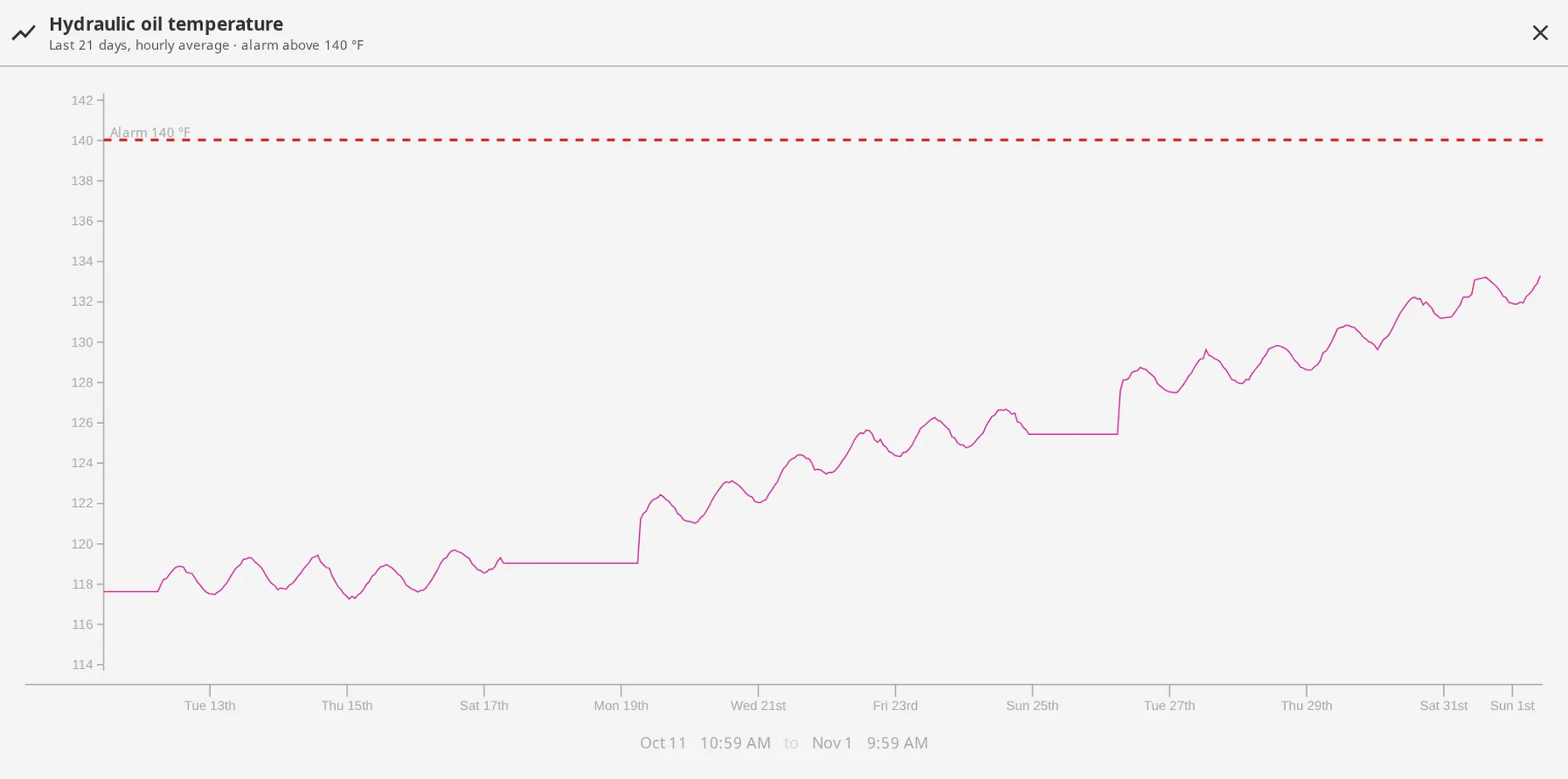
| Drift | The 3-hour rolling median has moved more than 3.2 standard deviations from the baseline | Wear, fouling, a slow leak, a sensor losing calibration. For exampleHydraulic oil on die cast machine 6 creeping 4 °C over nine days as the heat exchanger fouls, still inside the alarm limit. |
| Outside normal band | Several values in a row sit far from the baseline on one side | A step change: a setpoint, a recipe, a valve, a different feedstock. For exampleFurnace zone 3 holding 12 °C above its normal for this alloy since Monday’s recipe edit, which nobody mentioned at the handover. |
| Stuck | 18 identical values in a row, about 90 minutes | A frozen transmitter, a dead PLC tag, a stalled scan. For exampleA flow transmitter reading exactly 412 gpm for three hours while the pump cycled, so the totalizer and the chemical dosing were wrong all morning. |
| Rate of change | Several large sample-to-sample swings in a row | Hunting control, a loose connection, a failing pump. For exampleA chiller’s discharge pressure swinging 15 psi every few seconds as the expansion valve hunts, a week before the compressor trips on it. |
| Quality | 9 or more Good to not-Good flips within 2 hours | A device dropping off the network, a flaky OPC connection. For exampleA VFD’s tags flipping between Good and Bad eleven times in an hour on a loose Ethernet connector, days before it fails for good. |
Where two checks overlap on one tag, one finding stands. Every anomaly is stored with the check’s own numbers, whether or not the model writes about it, so what you review is the measurement, not a paragraph.
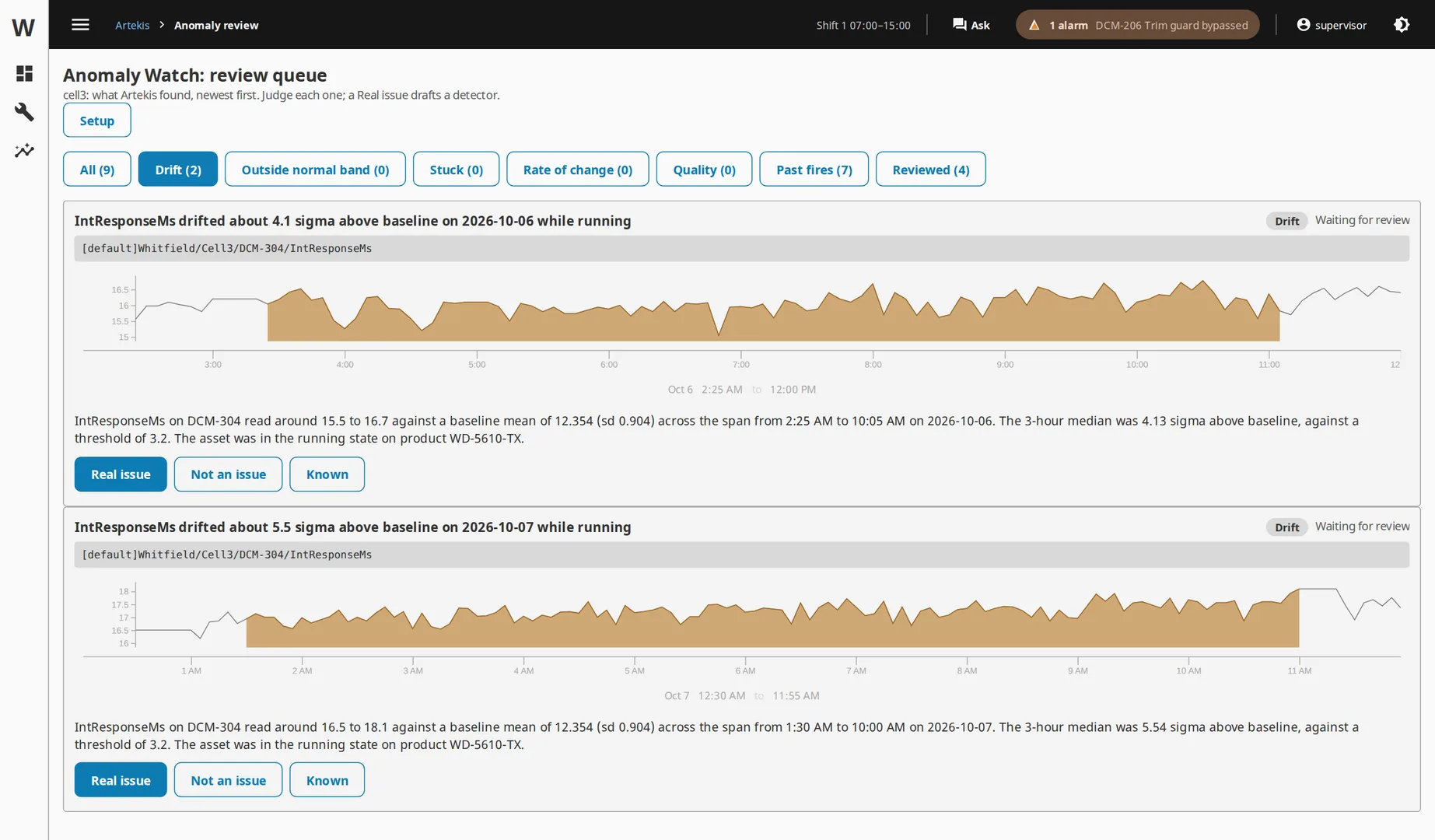
One week, one anomalyMonday 06:00, the hourly run files a drift on machine 6’s hydraulic oil temperature: running baseline 52 °C, last three hours 56 °C, 3.6 standard deviations, with the trend. Tuesday, the maintenance lead opens the queue, sees the slope, marks it a real issue and schedules the heat exchanger. Ten minutes later a proposal run has replayed a 55 °C running-only alarm over 180 days of history: it would have fired 3 times, 2 of them in the week before each of the last two exchanger cleanings, 1 false alert. Wednesday, she downloads the tag import, imports it into the machine’s folder, and from then on that alarm pages the shift a week before porosity scrap would have. Numbers are illustrative.